
Installing a security camera is an easy thing but smart work is all you need while installing these products.
Many companies provide a user manual and installing guide and most of the times they are enough but there are a number of factors which made me write this blog for you and most important one is to eliminate all of your security cameras installation charges.
In this article, you will get to know how to find the perfect spot in your house in order to get efficient surveillance and all steps that you need to follow to install your Wired or Wireless security camera system.
Before starting I would mention some types of security cameras available in the market, why?
Because each type of security camera would need a specific place for effective and efficient surveillance.
- Wired security camera or CCTV security cams
- Wireless security camera that would work with batteries or solar panels
- Cellular security cameras
Note: Wired security cameras can be sometimes Wi-fi enabled cams and wireless security cams can be sometimes hidden cams as well.
How to install a wired security camera
Wired security cameras are comparatively difficult to connect. So, you need to make sure that you are following the instructions very carefully.
The more meticulous you are, the more easy it will be.
Tools
Get your tool box before starting, you will need some different types of screw drivers. Cables for connecting, tapes and someone to help you.

Many companies will provide some nuts and bolts specially designed to fit in the security camera. Make sure that you have got them all.
Select a location
Wired security cameras can not be just put anywhere. You have to think about the power supplies.
If you will be installing cameras for outdoor purposes then you will fix it opposite to the desired spot or at the roof.

But here is a twist, you will have to check on the connecting wires.
Analog security camera system needs to be connected to DVR systems. So, if your wire is not long enough you can not continue. This is why choose the right spot.
Another thing that might affect your decision is the shape of wired camera. If you are installing a dome shaped camera then definitely you will put it along the roof.
On the other hand, bullet cameras will be fixed along side the walls.
Preparing the spot
After choosing the spot you will need to mark it with some sticker etc. Next, you will need some drills for making the space where you will fix your security camera.
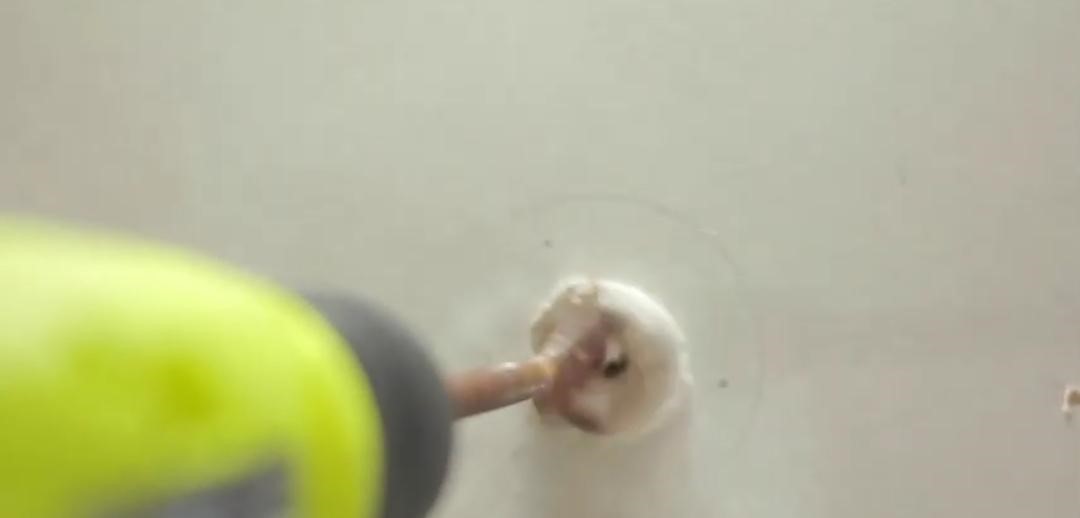
Again, the place and its material will decide that either you will be needing some advanced or strong drilling machines or just a simple one might help you.
For instance, if you are having a dome camera then you will need to drill in wood and aluminum as well.
Start by making pilot holes. First of all, make holes for the holding screws. Then start making space for the camera and wires.
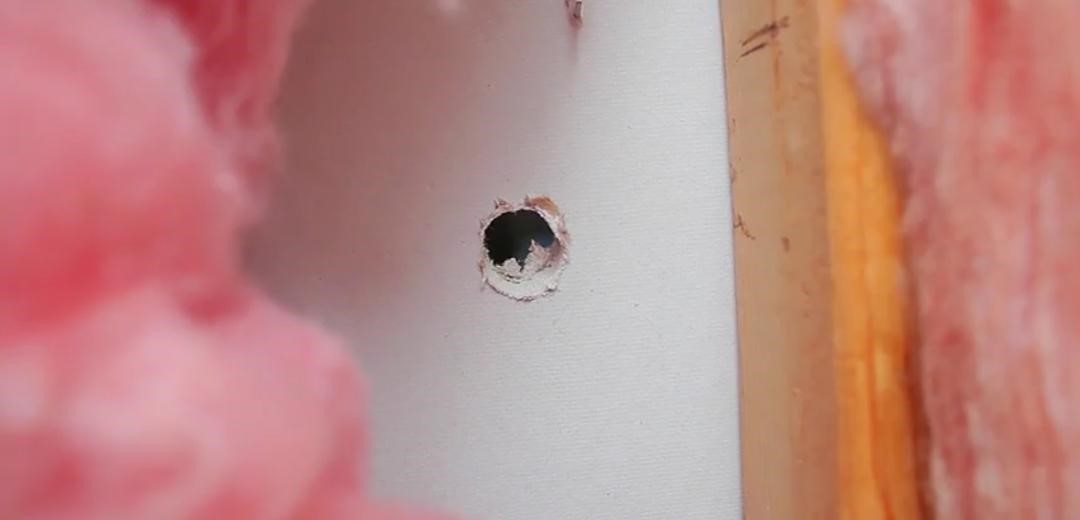
Get cables to the spot
There can be a number of options for getting the ethernet cables and electricity wires to the camera.
Electricity wires are spread all over the house so that would not be a problem because you can get a connection from the running wires.
The only issue will be of ethernet cables. There are two options for connecting DVR cables.

- Taking the wires along the walls, you can use different types of wire holders while doing this but make sure that you do not end up creating mess.
- Secondly, you can take that ethernet wire to your attic and then you can take it out through the drilled hole. You can not do this by hand for it will be very difficult and tiring. You can use steel fish tape.

Connecting wires to the DVR
Now the second difficult phase is getting the wire form the point where you will connect camera to the DVR system.
Here, you can do the same two things, whichever is convenient for you.
Connect everything together
Now connect the camera, make sure that you have tightened the screws quite well.
Loose screws can cost you too much because the wires would be connected to the ethernet modem etc.
You can use different adapters for a more secured and reliable connection.
It is highly possible that some companies would provide some adapters along with the security cameras, but in case you did not get one you can use tape to secure the connections.

Securing connections is highly recommended because a slight jerk can disconnect the wires.
Making user interface
In analog systems you need a laptop or a PC For complete and efficient surveillance. You will need to make an account for controlling your device.
You will need to create a super unique password, then it is advisable to check the settings for the interface.
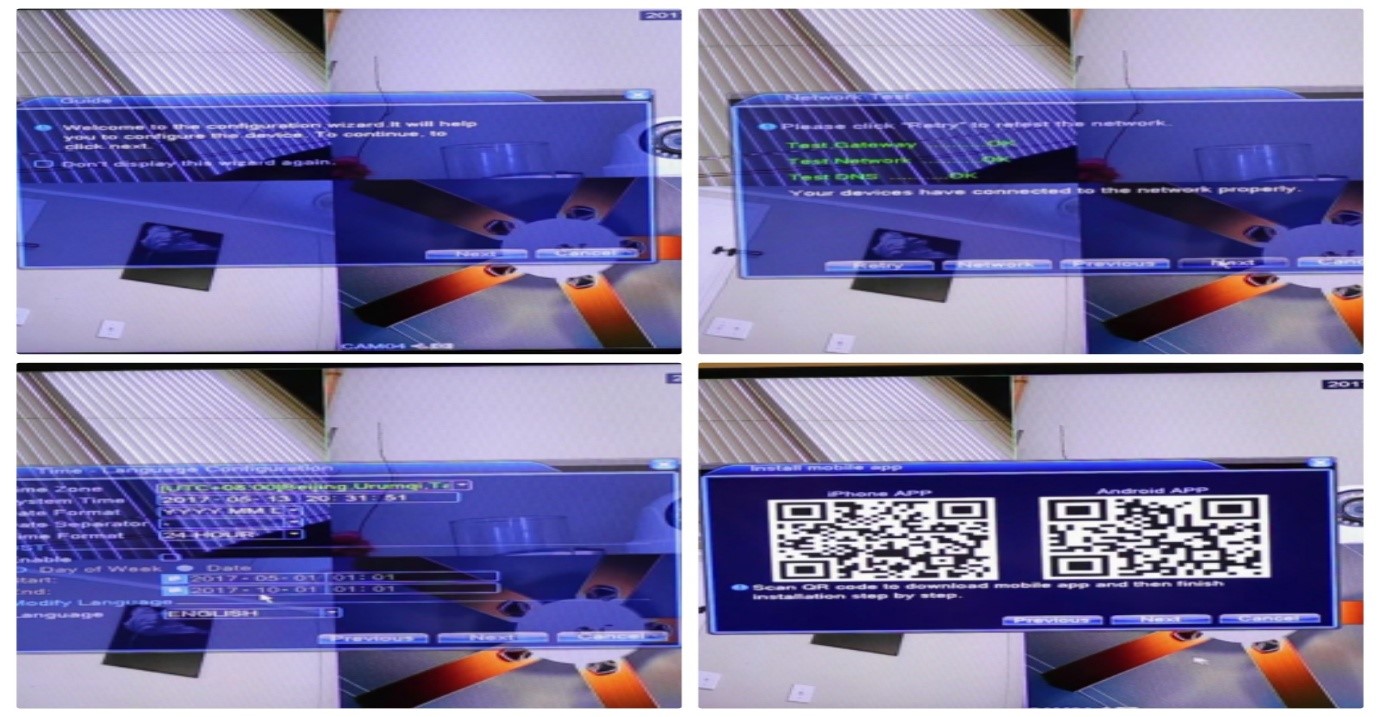
There might be some unique features. Nevertheless, I am not going to mention them here.
Installing a wireless security camera
Wireless security cameras are easy to install. Wireless security cameras can be of two types.
- Cellular cameras
- Cameras that work with Wi-fi
Checking on the essentials
While installing a wireless security cameras, you need:
- A powerful internet connection (for remote viewing)
- A PC or a smart phone
- The most suitable place
- Mounting devices magnetic or some screws
- Memory cards or hard drives for storing data
After you will have got all these things on point. Unpack the cam and check if it is going to monitor the exact spot.
Try to hold the camera in that position and while holding try to check the view.
Check the smartphone application
Now, it is quite an easy step. Install the application through play stores in your IOS or Android smart phone.
Now create an account.
For each camera you will need to scan its code. After scan, your camera will get affiliated with the application and your id.

Check all the specific features. Many applications might offer you a free tutorial, do not miss that. Also, for this, the camera must be a smartphone compatible security camera.
Check on the batteries
Many people skip this step. Mind you it is the most crucial segment of the installing process. Check either batteries are fully charged or not.
Sometimes they are not and many users complain that the batteries were not working well and equally important to check is the wiring of the battery.
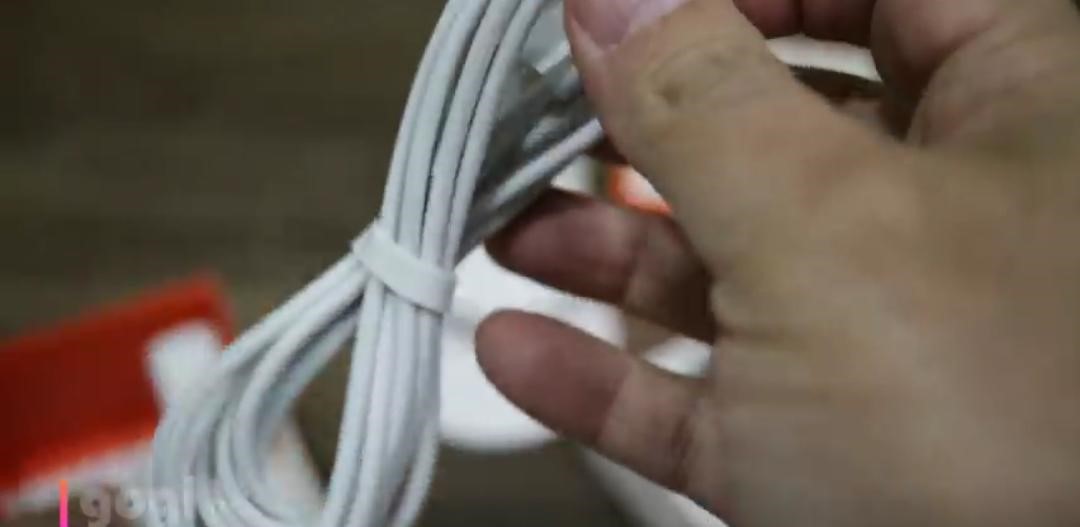
If you are using solar powered batteries then make sure that panels are fixed in the right direction and they are fully functional.
Fixing
Now fix the camera, many companies provide some magnetic mounters or screws specially designed for the camera.
Make sure that you are using all the recommended nuts and bolts.
Be very careful because one wrong bolt can destroy your entire surveillance system.
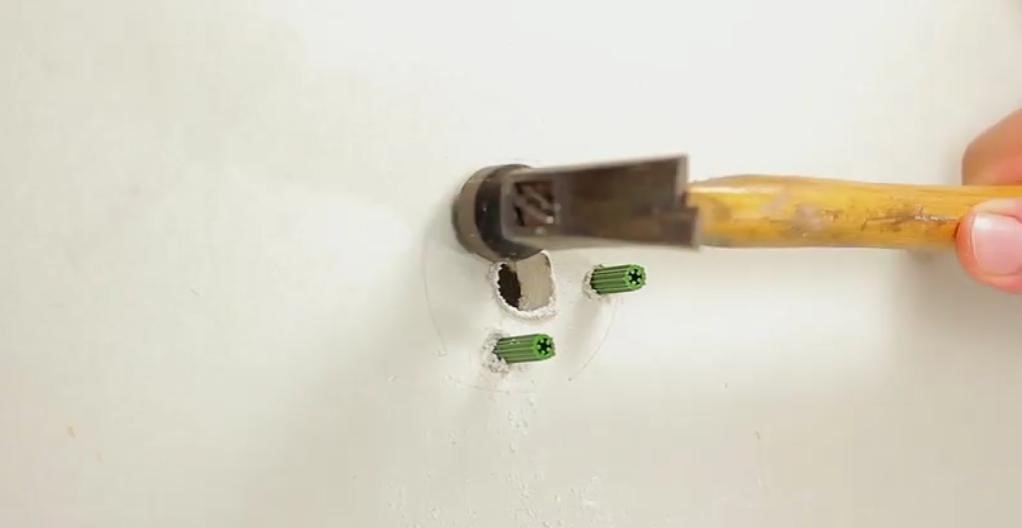
Insert the memory cards in case you are using an NVR or DVR system for storage connect it as described above for the wired security camera.
Lastly, if it is a cellular camera then insert the sim in the camera for LTE internet.
A quick check
After everything is set up check on the view. If you are getting a crystal clear view of the monitored to be spot.
Encryption is very important for security.
Do not leave the settings on default.
Check on various upgradation and subscriptions.
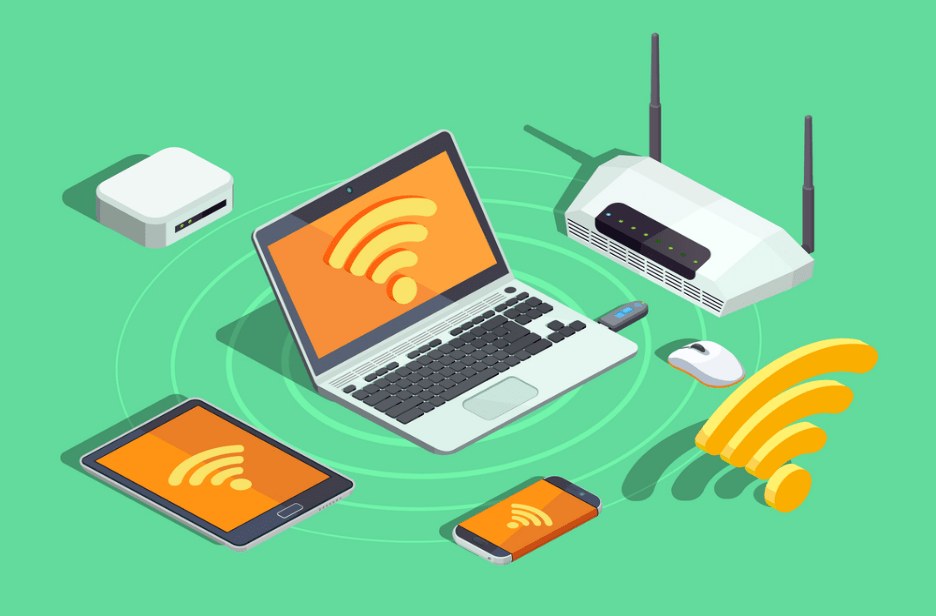
Cloud storage might need some paid subscriptions for storing your recorded videos so, do subscribe otherwise you will not be getting any recorded data.
How to install a solar panel for security cameras:
Here I will try to briefly explain how can you fix your solar panels with some tips.
First of all, let’s see what are the precautionary measures while fixing a solar panel.
Renovate your roof
This tip might sound weird but this will help you a lot.
Once you fix a solar panel, you will need to rely on it for your entire surveillance system.
This is why make sure that your roof does not need any kind of furnishing.
There are no pipe leakages that might damage the batteries of your solar panel.
Another option for avoiding or minimizing the risks is, you can put the batteries somewhere else rather than putting them along with the panels.
Amount of sunlight
If you know your house better you might know which is the most brightest spot of your house. It can be your balcony or roofs.
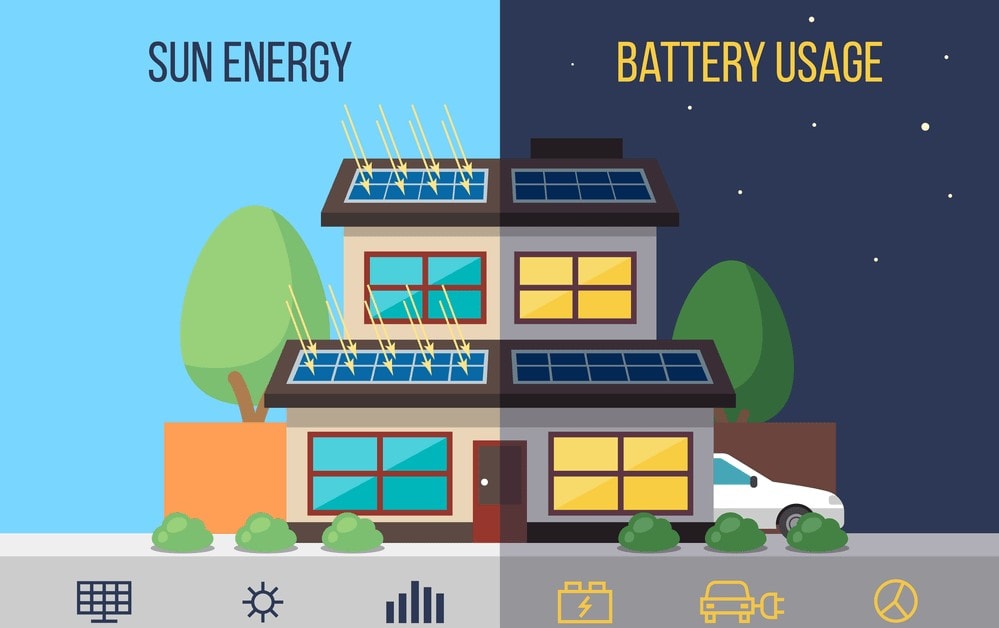
Next thing is the direction of the panels.
Many experts believe that you must place your solar panels facing south.
4 Steps for fixing solar panels:
Here are the 5 easy steps that you need to follow while installing your solar panel during your solar security camera systems installation.
1. Check the power rating required for your cam
There will be a specification sheet on the box of your security camera. Note down the power and voltage required for your security cam.
Most of the companies that provide solar panels with the cam they already make sure that the power is enough for your security cam.
So, you do not have to worry, in case you are getting a solar panel on your own then you must follow this step.
After checking on the required power rating make sure that you are having the same or more powered batteries to connect with the solar panel.
You can use many types of battereis the one that is available near you but deep pan or Li Cd batteries are the most reliable and efficient ones.
2. Placing the solar panel
Now, place the solar panel, and before putting make sure that how much energy can a solar cell create during the peak hours.
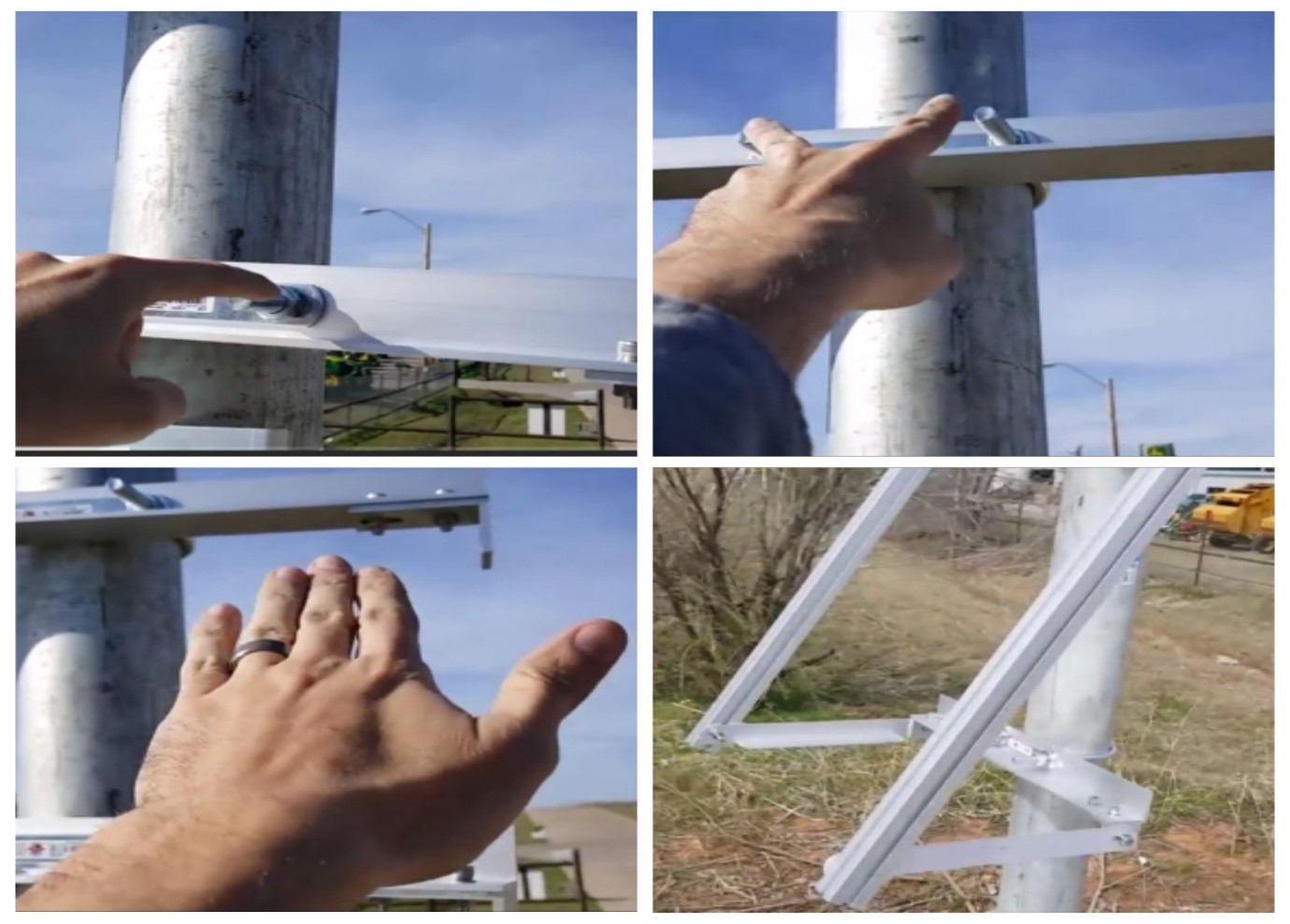
Calculate the power by multiplying the capacity of each cell.
Many companies will already tell you about this but in case you do not check it by yourself.
3. Get a charge controller and cables
A charge controller will make sure that your batteries are not over charged. Over charging can destroy the electrolytes.
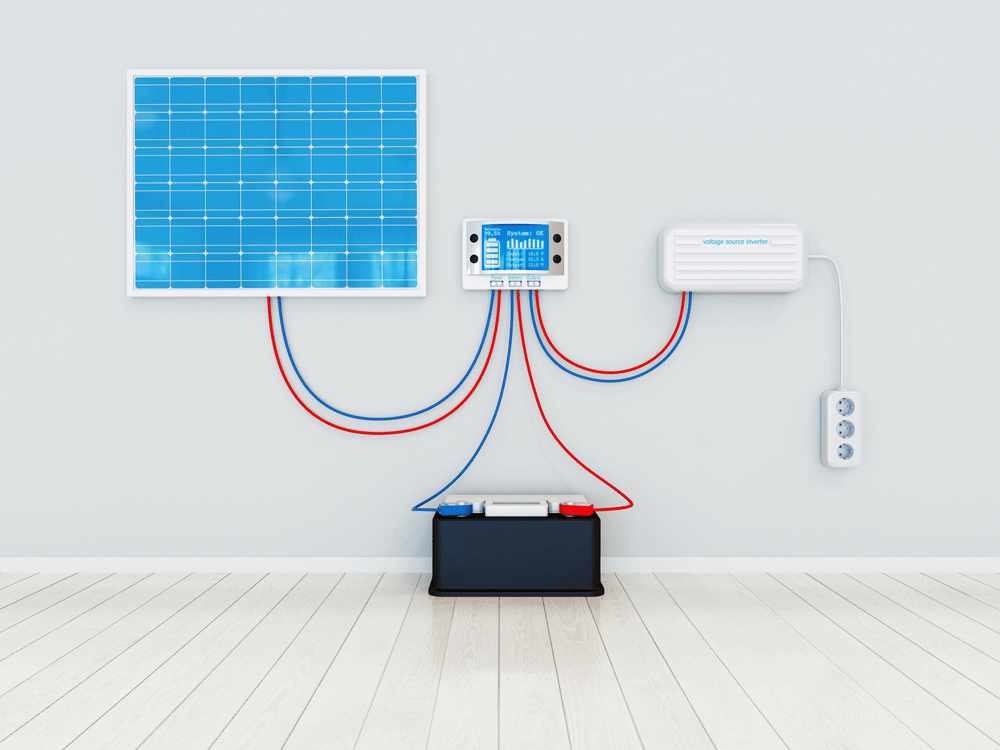
Next, get the safe and durable solar cables.
They must be thicker than the usual cables. Thicker cables will reduce the amount of resistance, thus, less energy dissipation would occur.
4. Connecting the solar batteries with camera
This step is further divided into three more steps.
- Connecting the batteries with the charge controller
- Connecting the solar panel with the charge controller
- Connecting the batteries with camera
While connecting be very meticulous, connect the positive terminal with the positive ends.
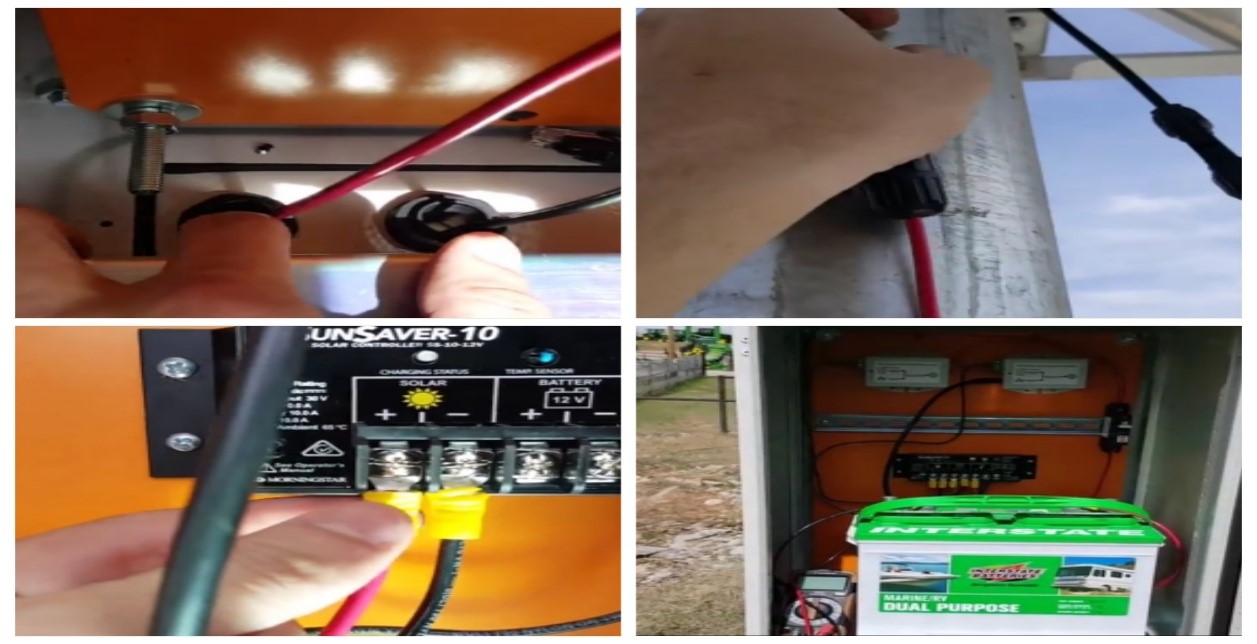
Take your time and do it quite professionally. You do not need a technician if you are following the above explained steps.
In case your security camera has come with a solar panel do not forget to use the guide given along with that security camera.
Best place to install a security camera
This can be a tricky task and the fun part is you will not realize it.
Finding the best place depends up on the construction of your house. Here, we will try to focus on some general ideas.
According to surveys the most risky places in your house can be the following ones
- Door ways
- Windows
- Backyards
- Backdoors
- Garages
- Balcony
Installing security cameras in Doorways
Many of us think that door ways are not that vulnerable to theft but believe you me these are the most risky spots.
There are a number of burglars who will try to break in by fooling you.
Entrances can be their favorite spot. They might come as a delivery man.

If you would have a security camera installed over there you can ask the delivery man about the details. Two way audio systems will help you check.
Moreover, if you will be installing a camera that can work through application you can get a clear view of the on goings at your door step 24/7. Even if you are away.
Options for doorways security cameras:
There are a number of options. I believe that for outdoor surveillance, you must get a hidden security camera that would work through wifi if you want a very secret protection.
Why?
Because burglars can be very smart sometimes.
You will not be checking on the wired system all day long and wired security cameras are always on the risk of disconnection.
Another thing would be the angle of view and night vision that must be checked while buying a camera.
Best security camera to install for door way – August doorbell cam pro
Speciality: Pairs up with smart locks as well.
A real time video is the best thing a security camera can offer.
August door bell cam pro is not just only a security camera it is complete surveillance package.
You can play live videos, can replay them and download them whenever you want.

No worries if you are not at home but if you have got this device you can always know who is at your door.
I found it very interesting, as you can talk with the people at your door, watch them and even if you do not want to meet them then you can simply ignore them, never mind!
It is very easy to install you do not have to pay a heavy amount, once it is connected through the existing door bell wiring it is all set to work.
It comes with a USB charging dock. Finally, you can operate it through your android and apple phone quite easily.
Features:
- Built in flood light
An exceptional night vision with floodlight technology. It means that whenever the camera will capture an image it will automatically enlighten the image.
Thus, the night vision will be visible and clear.
- Motion detection alerts
Whenever there will be some movement around your house, the camera will instantly send a notification to your connected cell phone.
Thus, it is not only a security camera, but a very smart virtual security guard as well. Instant notification alerts will prepare you for every kind of situation.
- Real time video
You can check on the real videos, any time you can check what is happening at your door step. You can zoom and stop the videos whenever needed.
- Two way audio
You can even chat with the person standing on the other side of the door.
The audio quality is clear and audible without any technical interruptions, as long as your phone’s speaker is working well you do not have to worry.
- 3.7 volts battery
As it has got a USB dock so you can charge it constantly, if in case there is a power outage then this battery is enough for continuous power supply.
- Free cloud storage
Cloud storage for storing as much data as possible. You do not have to change any SD card. Super efficient door bell and security cam.
PROS:
- Easy installation, DIY methods, with complete guide books.
- Night vision for 24/7 excellent surveillance.
- Live videos for reliable surveillance.
- Unlimited storage for stress free storage.
- Motion detection alert, for keeping you updated.
- Replay video and download videos for free.
CONS:
- Application’s upgradation might annoy.
Installing security cameras on windows
Windows are very risky in terms of break ins. There are some dos and don’ts while placing a security camera at your window.
You must look for glare problems, glasses can cause reflection which in return will produce glare.
Hidden security cameras are the most suitable for windows.
Best security camera to install for windows – Arebi spy cam
Speciality: Hidden security camera that can be mounted anywhere.
The reason for recommending it as the most suitable camera for windows it is the magnetic mount, you can put it at the bar side of your window for a proper view.
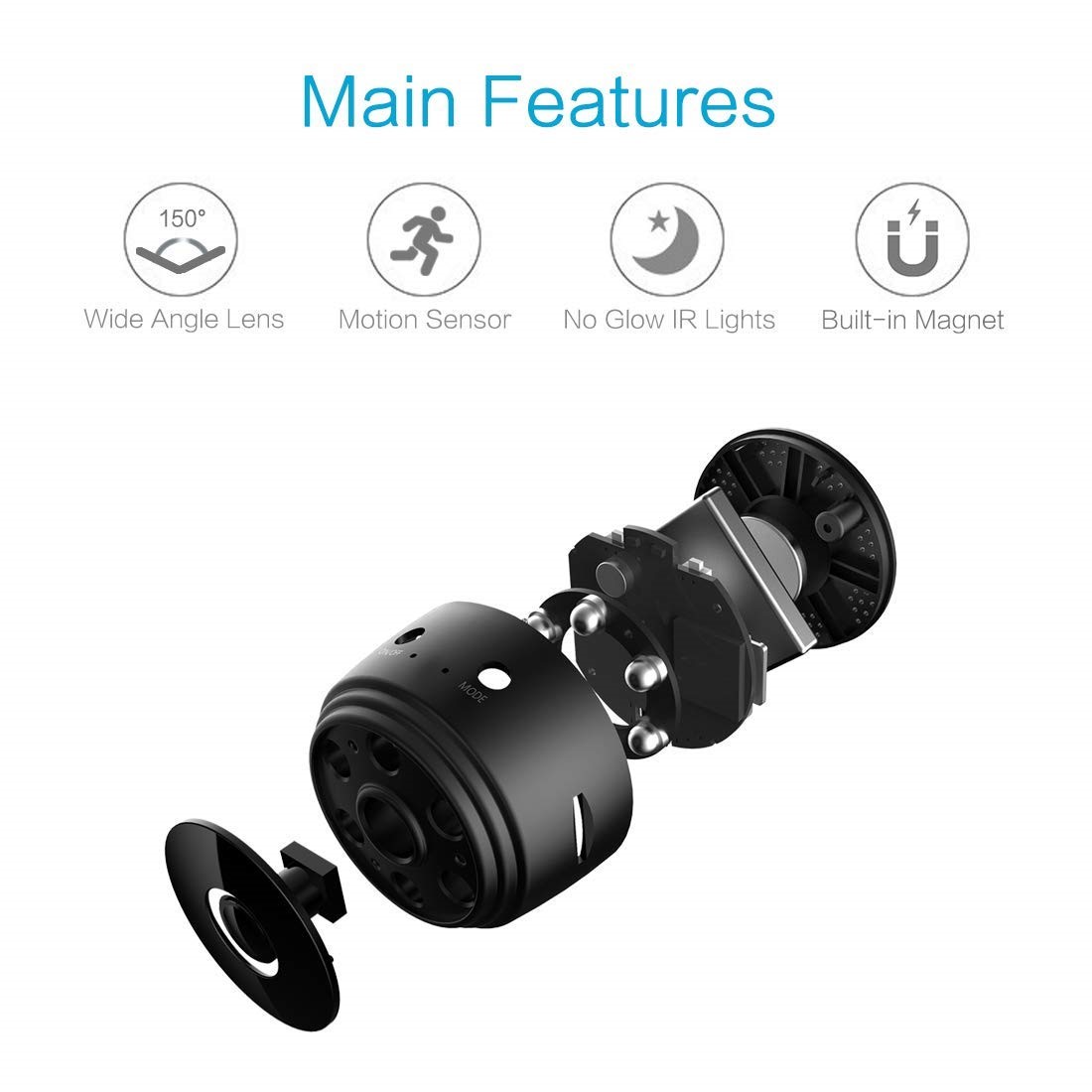
With 150 degrees wide angle you will get the crystal clear view of your courtyards
It is a hidden security camera so no one will ever know that they are being observed.
Features:
- 1080p HD video quality, thus you will not miss a single detail. The images and picture swill be on point and of super quality. Image and video quality is the most important thing of a security camera and Arebi has not compromised on it.
- Can be controlled form anywhere, Wi-fi enabled camera for those who tend to stay out of the house. Wi-fi and applications are the two sources for controlling your apt security cam.
- 300 mAh battery, it will record while charging, so, you do not have to worry as it will provide a continuous surveillance without any break.
- It is apt in motion detection and night vision, it will not glow during dark. So that it must stay hidden and unrecognizable. What else can you wish from a indoor hidden security cam.
- There are two options for storage 128 GB SD card or cloud storage for unlimited data storing. It totally depends upon you what feature do you prefer more.
PROS:
- Motion detection for efficient notification alerts.
- Night vision for 24/7 surveillance.
- Reliable battery life for lesser worries.
- Unlimited storage for free.
CONS:
- Glare can be a problem.
Installing security cameras at your backyards and backdoors
There are a few tips while installing a security camera for your backdoors.
Make sure that they are weather resistant. Otherwise, it will be a disaster for you.
Secondly, it must be of greater night vision with extra infra red lights and PIR sensors. Because outdoors are way more risky than other parts of your house.
Best security camera to install for backdoor – Sens 8 outdoor security cam
Speciality: Adjustable brightness of the flood light.
Outdoor surveillance is the most essential thing in security systems. This security camera has got a number of reason for why you should get it.

It is absolutely reliable because the alarms will blow on at the slightest motion detection.
At night it will work with a super LED light. In short, it is a complete package for best surveillance.
Features:
- Super clear vision, 1080p HD display and recordings. You will never miss a single movement at your back door. So, you can just sit back and relax while this camera will do the automatic surveillance.
- Exceptional and entirely reliable security system, for excellent night vision it has got Led lights. Which will ensure a bright and clear view. the most exciting part is that the intruder will never know about the lights.
- Motion detection sensors are quite efficient, whenever there will be someone at your backdoor, the alarms will automatically turn on. Moreover, you will receive a notification as well. The motion detection feature is customizable so that you might not get annoyed by constant notifications or alarms.
- Weather resistant, even dust storm cannot defy its potential. whether it is raining or hailing you do not have to worry about your surveillance system.
- Cloud storage and SD card of 8 GB storage will make sure that you are storing as much data as possible. Two types of storing options make your security system super reliable. When there is no electricity you can rely on the SD card local storage.
PROS:
- Changeable motion detection, you can set zones.
- Weather resistant, makes it an efficient outdoor cam.
- Unlimited storage, so that you must not miss on anything.
- Exceptional night vision through LED light.
- Application control, for a pro experience.
CONS:
- Strong internet required.
FAQs about installing security cameras
In this section we will address different questions related the installation process. I have selected some most asked and common questions.
Some of these questions are often asked by clients while some I have read from the internet.
Here, I will try to answer each question precisely. I am sure they will be of great help.
Is it inexpensive to mount a security camera on your own?
Ans: This is a common issue. Many people believe that if they will call a technician or electrician over, they are going to pay more than they can afford. It is a myth.
Different types of cameras require different types of skills.
For instance, if you are fixing a wired security camera and you do not know where to plug the wires. You have not been into this business then it is advisable to call a technician.
On the other hand, if you know how to follow the manual and trust your gut.
Plus, you might have done some sort of such works before and you have a certain basic know how about the phenomenon then you can go for it.
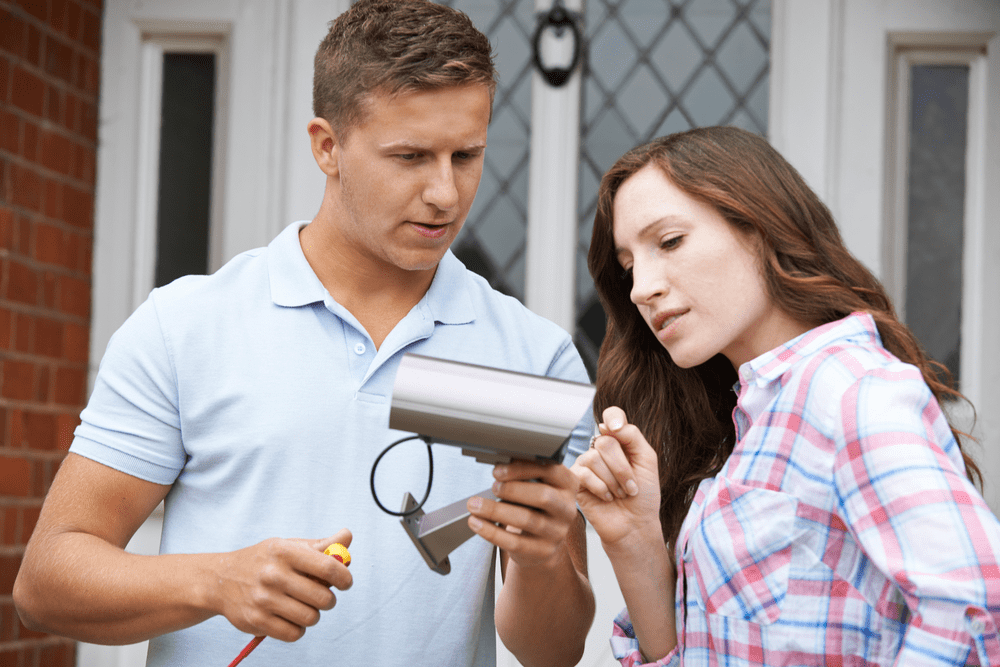
Secondly, the cost depends on the tools and accessories used. If you are calling up a technician for mounting a wireless security camera then definitely you will not be spending a lot of money.
In case of wireless security cameras or hidden security cameras you do not need to call any electrician. You all can fix them yourself.
Can I connect my IP security camera to Wi-fi?
Ans: Not every time. There are some companies with this option.
If while setting up the interface you happen to see the option of connecting to a Wi-fi then you can go for that otherwise it will be of no help.
If in case you happen to see that option, then connect your IP security camera to the Wi-fi available near to that camera.
Now you do not need to attach with the ethernet cable. Your wired IP security camera can operate as a wireless camera as well.

This process will vary from this is why it is suggested to have a look at the guide and key provided.
Follow the instructions if you do not find anything there try to contact the customer care service before taking any step.
How many cameras do I need for a 2400sqft house?
Ans: This depends upon the wide angle and the point of installation.
If you are not mounting your security cameras at the right place then maybe you will need 20 security camera.
The best places to fix security cameras are doorways, walk throughs and balcony.
As far as indoors are concerned then walk throughs, backdoors, kitchens and where you have got your precious belongings.
On average you will need two to four security cameras.
Your need analysis will define the number of security cameras. If you know that your backdoors are safe then you will only need security camera for the main door or visa versa.
Is audio recording legal?
Ans: This can be a tricky thing.
Before you get into this ask some professionals about the laws in your state.
When you are sure about the rules and regulations you can definitely record audios for security purposes.
How to install a hidden security camera?
Ans: For installing a hidden security camera, you will need to follow the same steps as you would for a wireless security camera.
Just find the most suitable hidden place and fix it over there.
The procedure for app installation and making an interface would be the exact. No changes.
Should we use indoor security cameras for outdoor surveillance?
Ans: Yeah, you definitely can. Before you do this make sure that the cameras are with the most advanced and efficient water proof technology.
Secondly, they can work as best outdoor security cameras when they have got the best sensors for motion most preferably PIR sensors.
These two factors define the efficiency of an outdoor security camera.
Thus, if your indoor security camera have got these two then you can use them as an outdoor surveillance cam without any fear.
Last words
Installing a security camera is not a difficult chore.
You can just do it by following some instructions given in the mounting guide.
If in case you are unable to climb ladder due to some personal reason and you need to call the technician, ask them some questions and relate them with the given guide, if they pass this little test let them work otherwise, they might destroy the system.
Lastly, each security camera is designed for a specific purpose and spot at your place.
Decide what are your needs and buy according to it if you want an efficient security system.